Timer Assessment & Measurement

iPhone / iPad · iOS 15.1+

Time it, record it,track every assessment.

A one-tap timer that records to the millisecond. Built for clinical and sports assessments, it keeps results organized for each person you measure.

Download on the App StoreFree (with in-app purchases)

Scan with your iPhone

Timer Assessment & Measurement

When it helps

What it does

  1. 01

    One-tap, millisecond timing

    Start and stop with a single tap. Times are shown to the millisecond and saved right away.

  2. 02

    Two modes: clinical and sports

    The on-screen terms and preset items change with the mode, so tests such as the 10m walk, TUG or the 100m are ready to use.

  3. 03

    Assessor, subject, item

    Records are organized in tiers: assessor, then subject, then assessment item. You can add a memo to each measurement.

  4. 04

    History, graphs and stats

    Look back at results in a history list and a time-series graph, with average, best and worst records.

  5. 05

    Export to PDF, CSV or text

    Export measurement data as a PDF report, CSV or text. PDF reports are a Premium feature.

  6. 06

    25 languages

    Use the app in 25 languages, including English and Japanese. Dates and numbers follow your region's format.

In detail

01

Measure with one tap and save instantly

Start and stop with a single tap. Time is shown down to the millisecond, and the result is saved right away.

  • Millisecond display
  • One-tap start and stop
  • Instant saving of results
02

Choose Medical or Sports mode

On first launch you pick Medical/Healthcare mode or Sports mode. The on-screen terms and preset assessment items change to match the mode.

  • Medical/Healthcare mode
  • Sports mode
  • Presets for each mode
03

Organize by assessor, subject and item

Create subjects under an assessor and assessment items under each subject, then record measurements. An accordion-style screen lets you expand and collapse each level.

  • Assessor, subject, item, measurement
  • Memo function
04

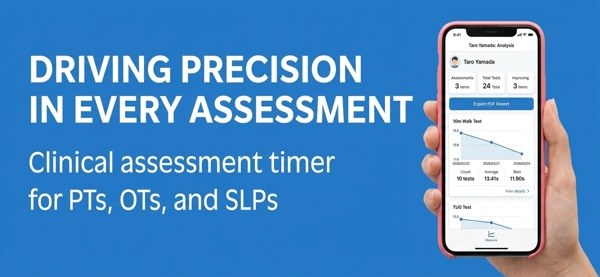
Review history, graphs and statistics

Look back at past results in a history list and see them as a time-series graph. Average, best and worst records are shown too.

  • History view
  • Time-series graph
  • Average, best and worst
05

Export as PDF, CSV or text

Export measurement data as a PDF report, CSV or text. PDF report output is a Premium feature.

  • PDF report (Premium)
  • CSV and text
  • Sharing data between devices

How it works

  1. 1

    Pick a mode

    On first launch, choose Medical/Healthcare mode or Sports mode.

  2. 2

    Create assessors, subjects and items

    Register an assessor, then subjects, then assessment items. You can also use the preset items.

  3. 3

    Take a measurement

    Start and stop with one tap. Results are saved, and you can add a memo.

  4. 4

    Review and export

    Look back at results in the history and graph views. Export as PDF (Premium), CSV or text.

Screens

Measurement graphs for each person

FAQ

Can it replace a diagnosis or a clinical test?

No. The app is a timer for measuring, recording and displaying times. It does not interpret or judge the measured values.

Is the app free to use?

It has free features and Premium features. Premium includes unlimited data storage, PDF report output, creating custom assessment items and bulk data export.

Where is my data stored?

Data is stored on your device. Cloud synchronization is optional.

Can I export measurement data?

Yes, as a PDF report, CSV or text. PDF report output is a Premium feature.

What is the difference between the two modes?

You choose Medical/Healthcare mode or Sports mode on first launch. The on-screen terms and preset assessment items change to match.

How many languages are supported?

25 languages. Dates and numbers follow your region's format.

Does it work on iPad?

Yes. It runs on iPhone and iPad with iOS 15.1 or later.

Start recording your next assessment.

Download on the App Store
Timer Assessment & MeasurementGet